Stock Clipper
Footage in. Stock clips out. A local desktop app for turning a folder of camera clips into individual stock videos: trim the part worth keeping, turn a sideways shot upright, flip it if the composition wants it, render one finished file per clip.
Why I built it: submitting clips to stock sites is mostly trimming, rotating and exporting — basic editing that still meant opening a full NLE for every short clip, waiting for it to load a project just to do two cuts and a render. I wanted the boring part of managing footage to be a folder, a filmstrip and a render button, with everything else out of the way.
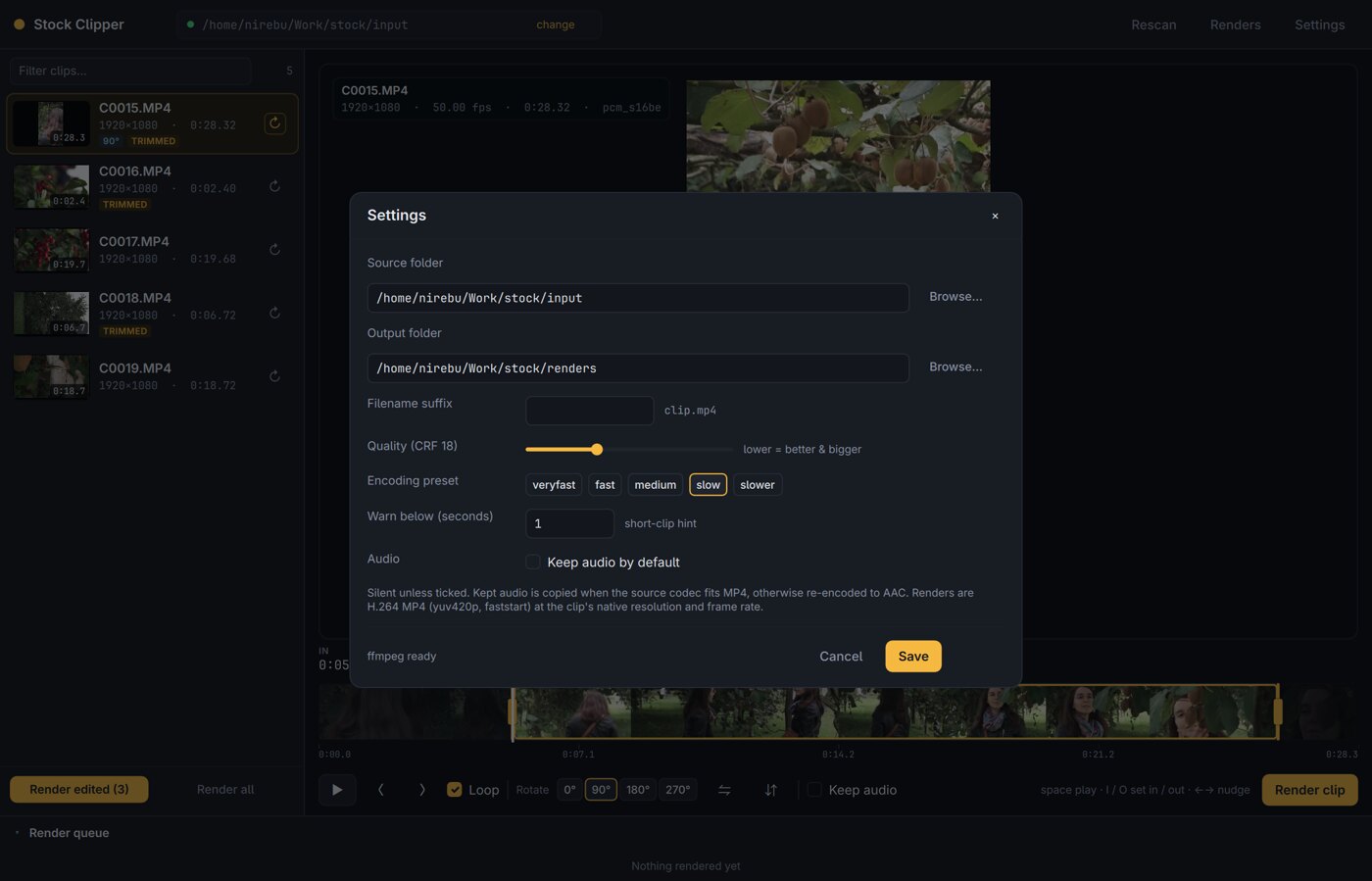
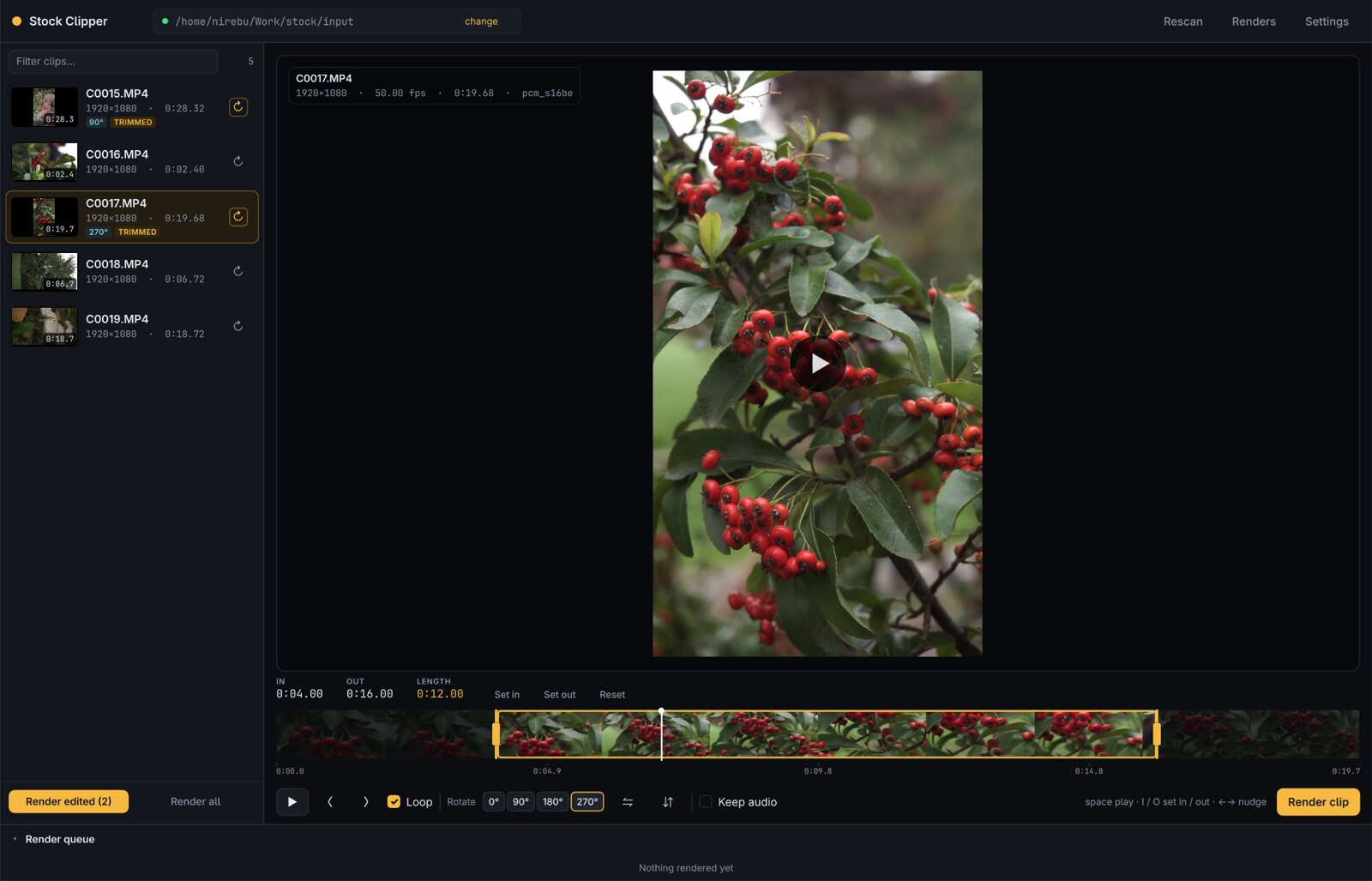
What it does: point it at a source folder and the library lists every clip with duration, resolution, frame rate and audio codec. Set the in and out points by dragging handles on the filmstrip, with I and O at the playhead, or by typing exact times — then rotate in 90° steps, flip horizontally or vertically, and render. One render at a time, with progress, speed, cancel and retry.
Rendering: only orientation is applied. Output keeps the clip's native resolution and frame rate — no scaling, no frame-rate conversion, no letterboxing — which is what stock sites expect. H.264 High MP4 by default, or ProRes 422 HQ / DNxHR HQX MOV for interchange. Audio is silent by default; supported codecs are stream-copied, PCM in MP4 is re-encoded to AAC.
Stack: native Qt 6 / QML, C++ and CMake — one binary, no browser engine, no proxy files. It drives ffmpeg and ffprobe from your PATH, which means it is not bundled: those two need to be installed.
No accounts, no telemetry: nothing in the app talks to a network. Cuts and settings are plain JSON under ~/.local/share/stock-clipper/, caches under ~/.cache/stock-clipper/, and the videos it writes are yours to submit wherever you like.